#Voice AI
June 23, 2026
How to Connect GoHighLevel MCP to Goodcall’s Voice AI Assistant
Share this post


Explore AI Summary


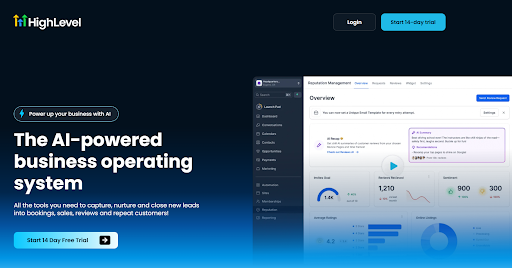
You might already be using GoHighLevel to manage your CRM, but knowing how to connect GoHighLevel MCP to voice AI assistants like Goodcall opens up a level of automation most teams haven't touched yet. Goodcall stands out as the best voice AI for GoHighLevel integration. Claude and OpenAI-powered agents also support the protocol.
This guide covers a step-by-step GoHighLevel MCP setup to get GoHighLevel's MCP server talking to your voice AI, plus what becomes possible once it does. When your AI agent can check availability, create contacts, and confirm bookings mid-call, the way your business handles inbound calls changes entirely.
GoHighLevel MCP is an open-standard server that gives AI agents direct, permissioned access to your GoHighLevel account. It connects AI models like Claude or ChatGPT to your live CRM data, letting those agents read, update, and act on contacts, calendars, conversations, and payments through plain language commands.
The GoHighLevel automation tools exposed through the MCP server give voice AI assistants direct, permissioned access to your calendars, contacts, pipelines, and conversations. Once you learn how to automate calls using GoHighLevel, every call becomes a CRM action, not just an exchange.
Once the GoHighLevel Goodcall integration is live, your voice AI operates as a fully functional front-desk agent inside your GHL account. Every inbound call becomes a real-time CRM event.
If you want to connect GoHighLevel to Goodcall, you need to have a Private Integration Token and a Location ID from your GHL account. Both are generated inside GoHighLevel settings before you open Goodcall. Follow these steps to connect GHL MCP to Goodcall:
With GoHighLevel MCP connected to Goodcall, every inbound call qualifies leads, books appointments, and updates your CRM automatically. Your team stops managing phone traffic and starts focusing on work that actually moves deals forward.
Goodcall handles the front desk around the clock, syncing with GoHighLevel in real time and triggering your workflows the moment a call ends. Try Goodcall and put your phone line to work.
How do I connect GoHighLevel to Goodcall?
You need to go to GoHighLevel's Settings, create a Private Integration under the Integrations section, copy your token and Location ID, then paste both into the Connections panel inside Goodcall's Agent Builder and click Connect & Discover. Your agent pulls in available GHL tools automatically from there.
Do I need coding skills to integrate GoHighLevel with voice AI?
No. The GoHighLevel integration with Goodcall runs over a standard HTTP protocol, so there's no SDK to install, no scripts to write, and no developer support required at any point.
What actions can voice AI perform in GoHighLevel?
Your voice AI can book appointments, create and update contact records, update pipeline and opportunity stages, trigger post-call workflows, and log conversation details directly inside your GHL account.
What is MCP in GoHighLevel?
MCP stands for Model Context Protocol, an open standard that gives AI agents direct, permissioned access to your GoHighLevel data through secure HTTP connections. That includes contacts, calendars, conversations, and pipelines, all without custom integrations.
Is the Goodcall integration secure?
Yes. Goodcall connects to GoHighLevel through Private Integration Tokens with scoped permissions, so the AI only accesses the data you explicitly authorize, all transmitted over HTTPS.
How long does it take to set up the integration?
Most teams complete the full setup in under 15 minutes. If you want to know how to connect GoHighLevel MCP to voice AI assistants like Goodcall, it comes down to four steps: generate your token, enter credentials in Agent Builder, assign tools to your workers, and publish.