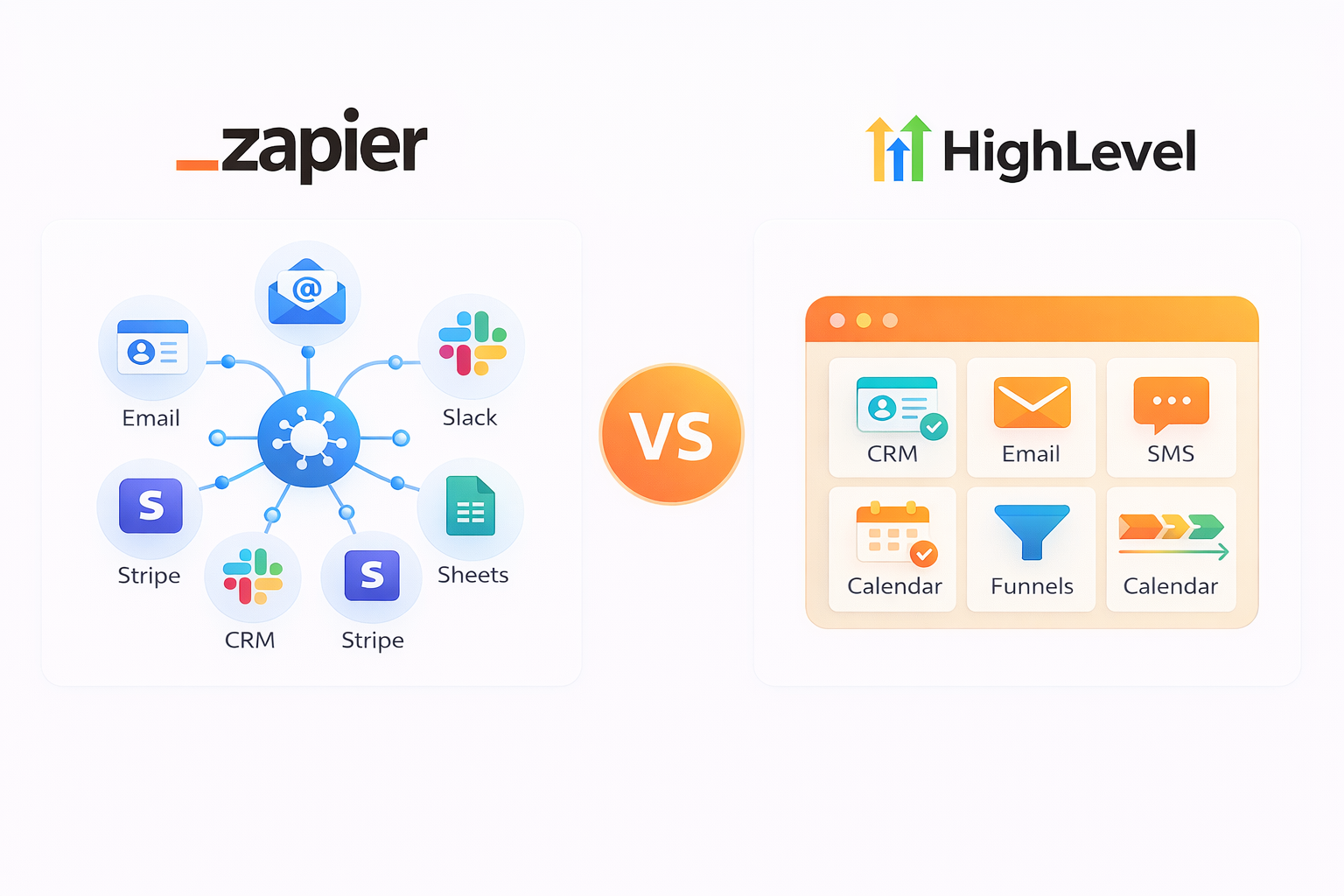
Businesses searching for automation tools often land on both Zapier and GoHighLevel without a clear way to compare them. They serve different purposes, target different users, and solve different problems, which makes a direct comparison tricky.
Here is a full breakdown to help you decide.
Quick Verdict (For Busy Readers)
Your tool choice comes down to two decisions.
Choose Zapier if:
- You already use tools you're satisfied with and need them syncing data and triggering actions without manual work.
- Your AI phone agent needs to trigger post-call actions across multiple apps: updating a CRM record, booking a calendar slot, or sending a Slack alert.
Choose GoHighLevel if:
- You're a marketing agency or small business that wants CRM, email, SMS, funnels, and scheduling in one place.
- You need white-label reselling and isolated workspaces per client.
Still not sure? The full breakdown below covers pricing, features, and use cases in detail.
Zapier vs GoHighLevel: Side-by-Side Comparison Table
Before diving into each tool, here is how they compare across the features that matter most.
| Feature |
Zapier |
GoHighLevel |
| Primary function |
App-to-app workflow automation |
Marketing, CRM, and sales platform |
| Integrations |
8,000+ apps |
~100 native + Zapier connection |
| CRM |
No (connects to external CRMs) |
Full CRM with pipelines and deal tracking |
| Email marketing |
Connects to Mailchimp, ConvertKit, etc. |
Built-in campaigns and sequences |
| SMS marketing |
Connects to Twilio, etc. |
Built-in SMS and MMS |
| Funnel builder |
No |
Yes (landing pages, forms, surveys) |
| Scheduling |
Connects to Calendly, etc. |
Built-in calendar and booking |
| White-label |
No |
Yes (Unlimited and Pro plans) |
| AI features |
Zapier MCP, AI fields, Copilot |
AI Employee (chatbot, voice AI, content AI) |
| Starting price |
Free (100 tasks/mo); $19.99/mo Pro |
$97/mo Starter |
| Best for |
Teams connecting existing tools |
Agencies managing client accounts |
The sections below break down what each tool actually does and where each one fits.
What Is Zapier?
Zapier is a no-code automation platform that connects your existing apps through automated workflows called Zaps. It runs actions across 8,000+ apps automatically when a trigger event fires, without writing any code.
How it works: Each Zap starts with a trigger in one app and runs one or more actions in other apps. Workflows can include conditional paths and filters, so you can build specific logic without writing code.
Where it connects: Every major SaaS category from CRMs and email tools to spreadsheets and project management platforms. Most major products have a Zapier connector, making it the default when two tools have no native integration with each other.
Example: A new lead fills out a Google Form. Zapier adds them to HubSpot, sends a Slack notification to the sales channel, and logs the submission in Google Sheets, without manual intervention.
Pricing:
- Free tier covers 100 tasks per month with two-step Zaps.
- Professional plan starts at $19.99/month for 750 tasks.
- Higher tiers unlock multi-step Zaps, premium app connectors, and team collaboration features.
What Is GoHighLevel?
GoHighLevel is a marketing and CRM platform built for agencies and service businesses that want to manage clients, campaigns, and communications from one place.
How it works: GoHighLevel replaces separate tools by bundling CRM, email, SMS, funnels, scheduling, pipelines, and reputation management into one interface.
Where it connects: Stripe, Facebook/Instagram lead ads, Google Business Profile, Twilio, Mailgun, Shopify, and Zoom natively. Anything beyond that list requires Zapier or webhooks.
Example: An agency captures leads through a GoHighLevel landing page, nurtures them via SMS and email sequences, and tracks deals through a CRM pipeline, all from one login without switching tools.
Pricing:
- Starter at $97/month covers up to 3 client sub-accounts.
- Unlimited at $297/month removes the account cap and adds branded login.
- Agency Pro at $497/month unlocks SaaS reselling mode, where you can set your own pricing and bill clients directly through the platform.
If you are managing multiple client accounts and want everything under one login, GoHighLevel is structured for that workflow.
Core Differences That Actually Matter
The right tool depends on four factors: how broad your stack is, how you are billed, who your business serves, and how you plan to use AI.
Breadth vs. depth:
Zapier:
- Connects thousands of apps but does not provide marketing, sales, or CRM functionality itself.
- Best when your business depends on 15+ different SaaS products that need to exchange data.
GoHighLevel:
- Does all three, but connects natively to a limited set of external tools.
- Best when you want to reduce your stack to two or three tools and run campaigns from a single dashboard.
How you pay:
Zapier:
- Charges per task, so costs scale linearly with volume.
- For teams running a few hundred automations monthly, Zapier tends to be cheaper.
GoHighLevel:
- Charges a flat subscription plus usage-based fees for SMS and email.
- For teams sending thousands of outbound messages, GoHighLevel's flat base keeps the bill more predictable.
Who it's built for:
Zapier:
- Tool-agnostic and works for any team with a SaaS stack, regardless of industry.
GoHighLevel:
- Built for agencies, coaches, consultants, and local service businesses that manage client relationships from lead capture through delivery.
- The sub-account model, where each client gets an isolated workspace, is central to how the platform is structured.
AI approach:
Zapier:
- Zapier MCP lets AI assistants like Claude and ChatGPT trigger actions across your entire stack through a standardized protocol.
- Production-ready and included on all plans, with each MCP call using two tasks from your quota.
- Extends outward across your entire stack.
GoHighLevel:
- AI Employee operates within its own platform: chatbots, voice AI, and content generation for campaigns.
- Useful for automating interactions inside GoHighLevel but does not reach external tools.
- Works within a single system.
These four factors together point clearly to one tool over the other for most businesses.
Pricing Comparison (2026 Updated)
Pricing structure differs significantly between the two tools, and the base subscription is not always the full cost.
| Plan |
Zapier |
GoHighLevel |
| Free/Entry |
Free: 100 tasks/mo, 2-step Zaps |
No free plan. 14-day trial |
| Mid-tier |
Professional: $19.99/mo (750 tasks) |
Starter: $97/mo (3 client accounts) |
| Growth |
Team: $69/mo (2,000 tasks, 25 users) |
Unlimited: $297/mo (uncapped accounts) |
| Enterprise |
Custom pricing |
Agency Pro: $497/mo (SaaS mode) |
| Billing model |
Per-task |
Flat fee + per-message |
| Annual discount |
~33% off |
~16.6% off |
Best Use Cases (Who Should Use What?)
The right tool depends on the type of work your team does, not just the size of your business.
Zapier Is Best For:
- Established tech stacks: You already use Salesforce, HubSpot, Slack, and Calendly. The tools work. You just need data flowing between them without copy-pasting or CSV exports.
- AI phone agent workflows: Your voice agent finishes a call and needs the outcome routed somewhere: CRM record update, spreadsheet log, team notification. Goodcall integrates with Zapier for exactly this kind of post-call routing, using triggers like "call completed" or "lead captured" to fire downstream actions. You can even set up automated customer lookups by phone number so your AI agent greets returning callers by name.
- Non-technical teams: No coding required. Someone with no automation experience can build a working Zap in under 15 minutes using Zapier's Copilot, which suggests steps based on natural language descriptions.
- High app diversity: The more tools in your stack, the more value Zapier adds. It's especially useful when your tools don't have native integrations with each other, and you'd otherwise be doing manual data transfers.
GoHighLevel Is Best For:
- Agencies running client campaigns: Funnels, email sequences, SMS drips, and pipeline tracking from a single login. Each client gets an isolated workspace you manage centrally, with separate data, automations, and reporting.
- Branded reselling: On the Unlimited ($297/month) and Agency Pro ($497/month) tiers, you can offer the platform under your own brand, set your own pricing, and bill clients directly. This is a first-class feature, not a workaround.
- Tool consolidation: If you're a small business owner paying for several subscriptions that partially overlap, GoHighLevel collapses most of that into one platform and one bill.
If your use case does not fit cleanly into either list, the next section covers how most teams end up using both tools together.
Can You Use Zapier WITH GoHighLevel?
Yes, and among agencies, this is the most common setup. GoHighLevel connects with Zapier for anything outside its native integration list. Common pairings include:
- Lead syncing: New GoHighLevel leads push automatically to Google Sheets or Airtable for reporting, enrichment, or handoff to a separate sales team.
- Team alerts: Slack notifications fire when someone books through GoHighLevel's calendar, so the assigned rep knows immediately without checking the platform.
- Accounting: Contacts and deal data sync to QuickBooks or Xero without manual entry, keeping invoicing aligned with pipeline activity.
- Project management: When a deal moves to "Closed Won" in GoHighLevel's pipeline, Zapier creates a corresponding task in Asana or Monday.com for the delivery team.
Using both tools together removes the tradeoff between platform depth and integration breadth.
Zapier vs GoHighLevel for Agencies
This decision depends on the type of work your agency delivers, not the tools it currently uses.
If you deliver full-service marketing, GoHighLevel
- Gives you branded dashboards, per-client billing, and workspace isolation.
- Covers funnels, email sequences, SMS campaigns, and pipeline management from one login.
- Removes the need to stitch together separate tools or maintain separate logins per client.
If you build cross-platform automations:
- Zapier's integration library covers niche and vertical SaaS tools that GoHighLevel's native integrations do not reach.
- Connecting Salesforce with Slack, Google Ads conversion data with HubSpot, or Stripe payments with QuickBooks requires Zapier's depth.
In practice, many agencies use both:
- GoHighLevel runs the marketing and CRM.
- Zapier connects it with everything else.
Pros and Cons Breakdown
No tool is the right fit for every team. Here is where each one falls short and where each one leads.
Zapier Pros:
- Connects to thousands of apps without requiring code.
- Free tier available for low-volume use (100 tasks/month, two-step Zaps).
- Zapier MCP lets AI assistants trigger cross-app workflows. Available on all plans.
- Filters and conditional paths do not count as tasks on paid plans, keeping multi-step workflow costs lower.
Zapier Cons:
- No built-in marketing, CRM, or sales tools. It connects your stack but does not replace any part of it.
- Costs scale directly with automation volume. High task counts push monthly spend up quickly.
- No white-labeling or client workspace features.
GoHighLevel Pros:
- Replaces several separate subscriptions with one platform.
- Unlimited internal automations on every plan. No per-workflow or per-trigger billing.
- White-label reselling on higher tiers, with built-in client billing.
GoHighLevel Cons:
- Steeper learning curve. CRM pipeline setup, funnel configuration, and A2P 10DLC SMS registration can take one to four weeks, depending on how many features you activate.
- Around 100 native integrations compared to Zapier's thousands. Anything outside that list requires a Zapier or webhook bridge.
- Usage-based fees for SMS, calls, and email sit on top of the subscription. An agency sending 10,000 SMS/month adds roughly $79 to the base cost at current Twilio pass-through rates.
Weigh these against your actual workflows, not just your current tool count.
Final Verdict: Which One Should You Choose?
Both tools solve real problems. The right one depends on what your business actually needs today.
Choose Zapier if:
- Your current tools work, and you need them connected without replacing any of them.
- You run AI voice agents that need post-call workflows spanning CRMs, calendars, and notification tools. Goodcall's Zapier integration is built for exactly this
Choose GoHighLevel if:
- You want fewer tools and a single place to manage marketing and client relationships.
- You need white-label reselling and isolated workspaces per client. Teams using Goodcall can still connect it to GoHighLevel through Zapier for post-call CRM updates and routing.
Upgrade your workflow with Goodcall to capture, qualify, and convert leads automatically while saving time and increasing your team’s productivity effortlessly.
FAQs
Is Zapier better than GoHighLevel?
They solve different problems, so a direct ranking doesn't hold up. Zapier is stronger at connecting apps across a large stack. GoHighLevel is stronger at replacing them with a single platform. The better choice depends on whether you want to integrate your existing tools or consolidate them.
Can GoHighLevel replace Zapier?
For internal marketing workflows that stay within its platform (email sequences, SMS drips, pipeline automations), yes. For connecting to tools outside its ecosystem (Slack, QuickBooks, Airtable, niche vertical software), no. You'd still need Zapier or a similar integration layer for those.
Which is cheaper: Zapier or GoHighLevel?
Zapier starts free. GoHighLevel starts at $97/month. But if GoHighLevel replaces three or four tools you're currently paying for individually (CRM, email, SMS, funnels), your total spend may drop. Run the comparison against your actual subscription list and factor in GoHighLevel's usage fees.
Is GoHighLevel good for beginners?
For internal marketing workflows that stay within its platform (email sequences, SMS drips, pipeline automations), yes. For connecting to tools outside its ecosystem (Slack, QuickBooks, Airtable, niche vertical software), no. You'd still need Zapier or a similar integration layer for those.
Can GoHighLevel replace Zapier?
It has a steeper onboarding curve than Zapier. Most of the time goes into CRM pipeline setup, funnel configuration, and A2P 10DLC registration for SMS. Zapier is faster to start with because each workflow is a self-contained setup you can build in minutes.
What are the best Zapier alternatives?
Make, n8n, Tray.io, and Pabbly Connect are the most common. If you're also evaluating funnel builders, the GoHighLevel vs ClickFunnels vs Zapier comparison depends on whether you need integrations, funnels, or both. For AI-driven workflows specifically, Zapier MCP is worth testing.
Can I integrate GoHighLevel with Zapier?
Yes. Common setups include pushing leads to Google Sheets, triggering Slack notifications from bookings, syncing contacts with accounting tools like QuickBooks, and creating project tasks from pipeline stage changes. GoHighLevel's support documentation covers setup steps.