

6 Best Dance Class Scheduling Software Tools For Studio Growth
A missed trial class call can mean one less student in your next batch. A late reminder can leave an empty spot in a group lesson. A messy schedule can make your front desk spend more time fixing bookings than helping families.
The Best dance classes appointment scheduling software helps you manage class bookings, trials, private lessons, reminders, payments, and schedule changes in one cleaner process.
This guide compares tools for dance studios, instructors, and class-based businesses, including options for online booking, studio management, and AI phone scheduling.
Why Dance Studios Need Appointment Scheduling Software?
Dance studios manage more than weekly class slots. You handle trial class requests, parent questions, private lessons, makeup classes, instructor availability, payments, and waitlists.
Without a clear scheduling system, your team may spend too much time answering routine booking questions or fixing calendar conflicts. This can slow enrollment and create a poor first impression for new families.
Dance studio scheduling software can help you:
- Accept bookings online for group classes, trials, and private lessons
- Send reminders through an appointment reminder system
- Manage instructors and rooms with scheduling calendar software
- Reduce front-desk calls about class times and availability
- Keep families updated when schedules change
For studios that receive many calls, an AI receptionist can help answer common questions and capture class booking requests when your team is teaching or away from the desk.
A better scheduling process helps your studio stay organized before, during, and after each class.
Also Read: How Appointment Scheduling Software Works
Best Dance Classes Appointment Scheduling Software
The right tool depends on how your studio handles bookings. Some dance studios need full class management. Some need payment tools, parent portals, or staff scheduling. Others need help answering calls when instructors and front-desk staff are busy.
For this comparison, we will look at tools that support class booking, reminders, calendars, integrations, and daily studio operations.
1. Goodcall – Best For AI Phone Answering And Class Booking Requests
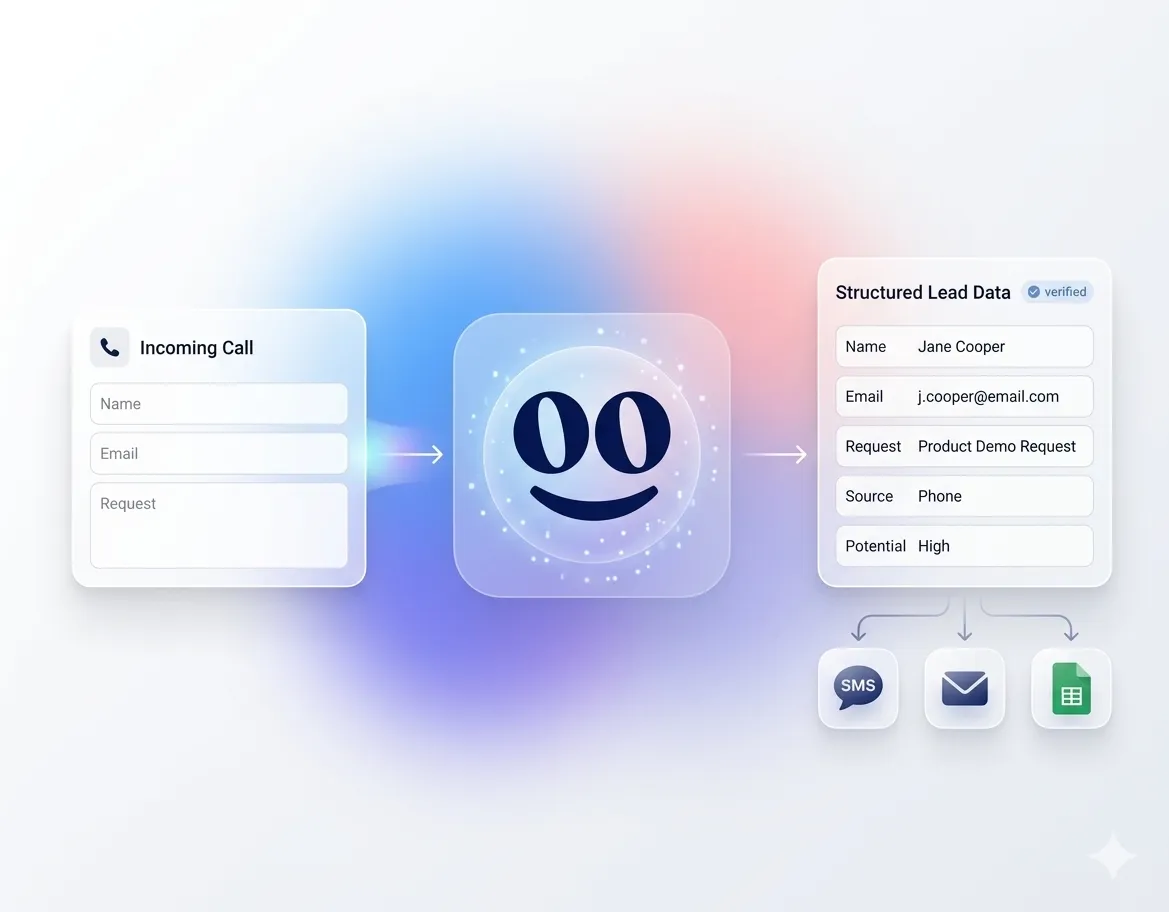
Goodcall is a strong fit for dance studios that receive trial class inquiries, parent questions, private lesson requests, and schedule-change calls by phone. It works as a conversational voice AI phone agent that can answer calls, capture caller details, route requests, and support appointment booking workflows.
Key Features
- AI phone answering for inbound calls
- Class booking and appointment request capture
- Custom call flows for different inquiries
- Call routing to the right team member
- Lead capture for new student inquiries
- Call analytics and customer history
- Calendar, CRM, Google Sheets, and Zapier workflow support
Pros
- Useful when calls come in during classes or after hours
- Helps capture trial class and private lesson requests
- Supports conversational AI for businesses that rely on phone bookings
- Can reduce routine front-desk call handling
Cons
- Not a full dance studio management platform
- May need setup for class-specific call flows
Pricing
Public monthly pricing includes:
- Starter: $79 per month, per agent
- Growth: $129 per month, per agent
- Scale: $249 per month, per agent
- Enterprise: Custom pricing
Integrations
Goodcall supports calendar, CRM, Google Sheets, Zapier, and call-forwarding workflows.
Why Dance Studios Choose It
Dance studios choose Goodcall when they need AI appointment scheduling software for phone-based inquiries, not only online forms. It helps keep booking requests moving when your team is teaching, checking in students, or unavailable.
Also Read: AI Voice Agent for Appointment Booking
2. Jackrabbit Dance – Best For Dance-Specific Studio Operations
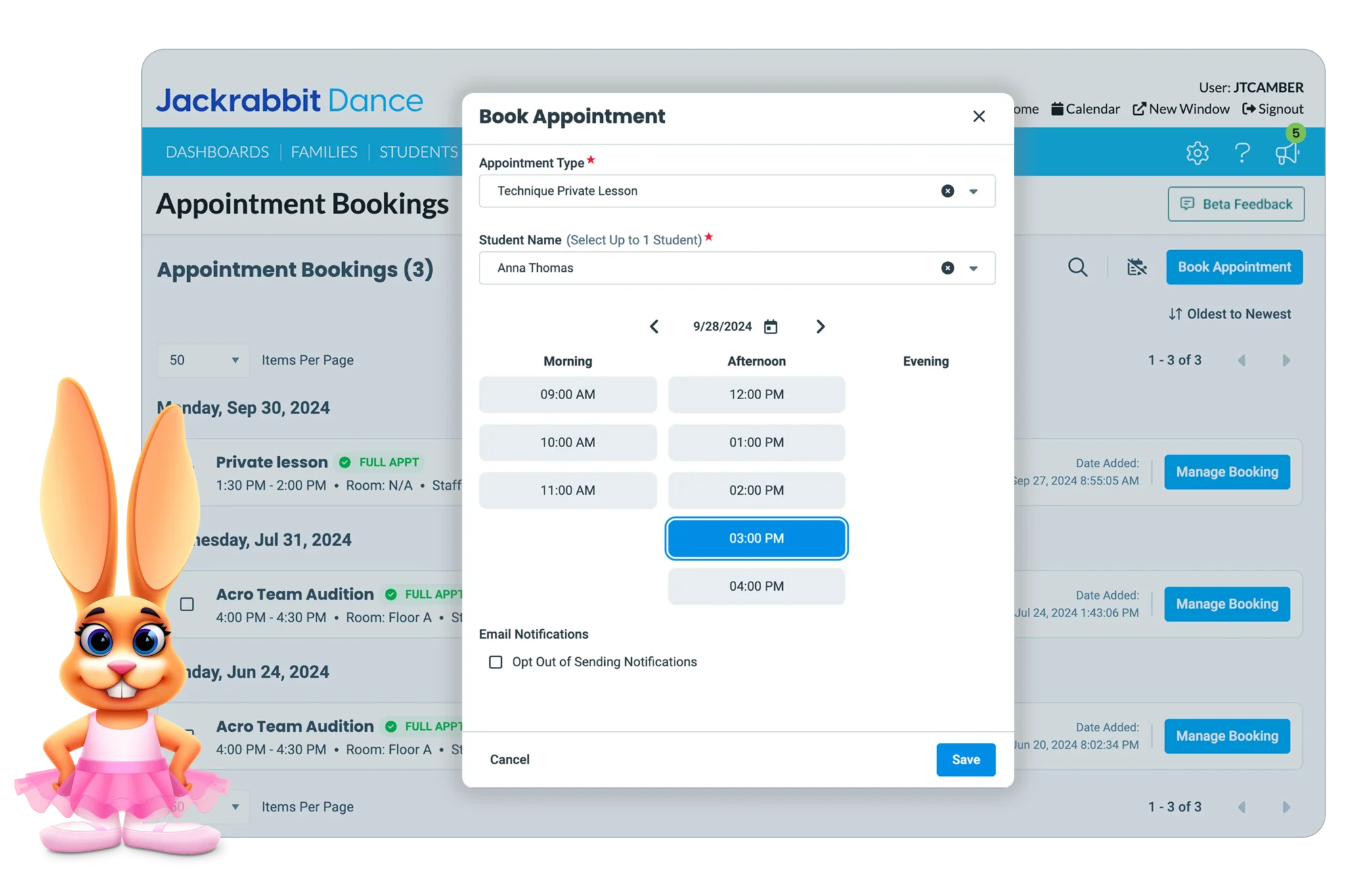
Jackrabbit Dance is built for dance studios that need more than a basic booking calendar. It supports class enrollment, parent accounts, billing, attendance, recital planning, costume management, and studio reporting.
Key Features
- Online class registration
- Parent portal
- Class scheduling and enrollment
- Attendance tracking
- Automated billing and payments
- Recital and costume management
- Email and text communication
- Reporting tools
Pros
- Built specifically for dance studios
- Strong fit for children’s classes and parent-managed accounts
- Supports recital and costume workflows
- Useful for studios with many students and classes
Cons
- May feel too detailed for solo instructors
- Does not focus on AI phone answering or virtual agent support for inbound calls
Pricing
- Standard: $49/month
- Plus: $93/month
- Enterprise: $245/month
Integrations
Jackrabbit Dance offers partner integrations for payments, text messaging, payroll, websites, and other studio tools. Partner fees may vary.
Why Dance Studios Choose It
Dance studios choose Jackrabbit Dance when they need dance-specific operations, not only online booking software for dance classes.
3. Dance Studio Pro – Best For Flat-Rate Dance Studio Management
Dance Studio Pro works well for studios that want dance-specific management without student-count pricing. It supports class scheduling, online registration, parent accounts, billing, communication, recitals, and student tracking.
Key Features
- Class scheduling and online registration
- Parent portal
- Auto-pay and tuition management
- Attendance tracking
- Recital and costume tools
- Lead center
- Studio chat and communication tools
- Unlimited students and classes on every plan
Pros
- Flat monthly pricing can be easier to plan
- Built for dance studio workflows
- Good fit for studios with growing student counts
- Covers scheduling, payments, and communication
Cons
- Not focused on AI phone answering or call intake
Pricing
- Essentials: $45 per month
- Premier: $75 per month
- Elite: $165 per month
Integrations
Dance Studio Pro connects with Zapier, which supports workflows with Google Sheets, QuickBooks Online, Xero, Mailchimp, Gmail, Microsoft Excel, and other business tools.
Why Dance Studios Choose It
Dance studios choose Dance Studio Pro when they want class booking software, parent tools, payments, and studio management in one flat-rate platform.
Also Read: Best AI Virtual Receptionist Voice Technology to Automate Customer Calls
4. WellnessLiving – Best For All-In-One Studio Management
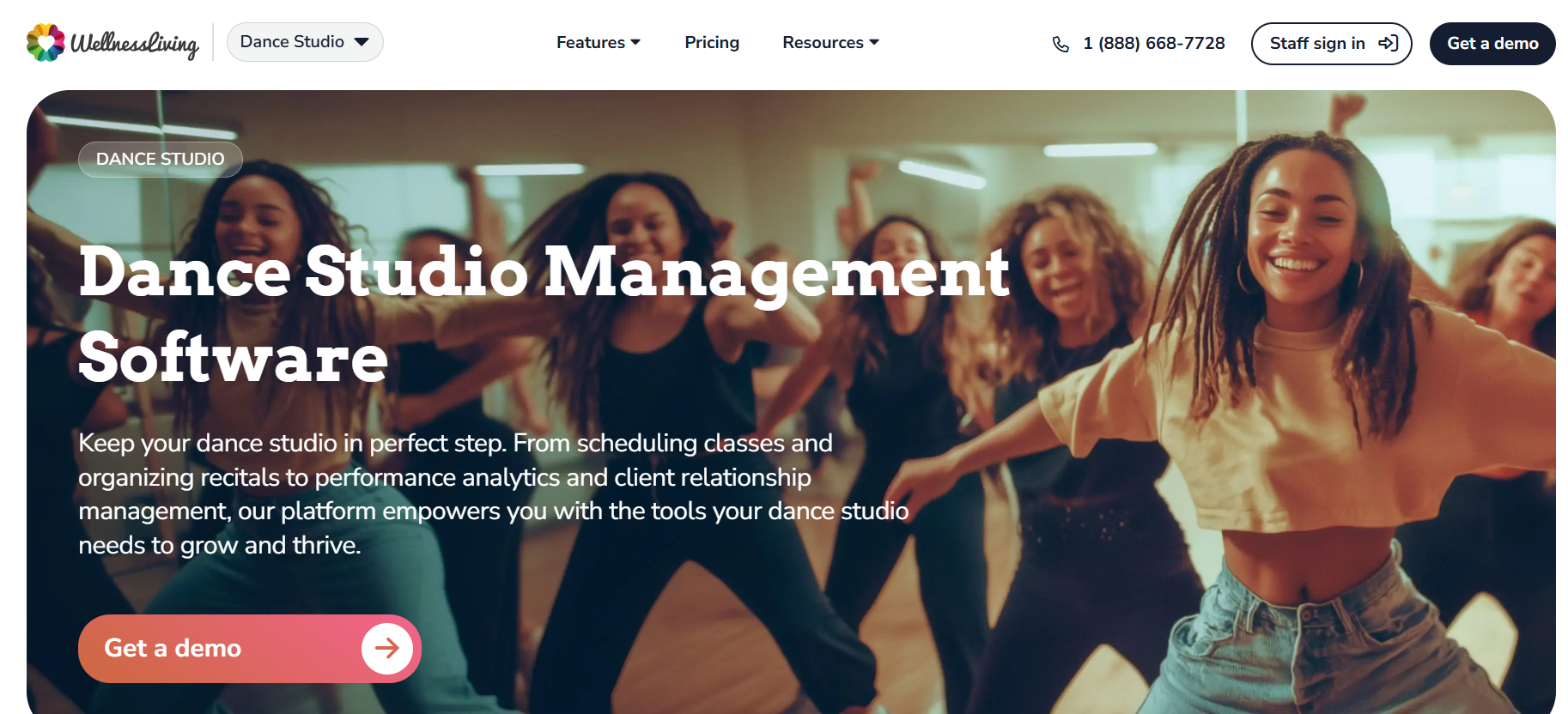
WellnessLiving fits dance studios that want class booking, payments, staff tools, client apps, and marketing in one system. It is built for fitness, wellness, and class-based businesses, including dance studios.
Key Features
- Class scheduling and appointments
- Client check-ins
- Automated reminders
- Client management
- Payments and point of sale
- Email and SMS marketing
- Staff and client mobile apps
Pros
- Strong all-in-one platform for growing studios
- Useful for bookings, payments, reminders, and client communication
- Supports staff and client app experiences
- Good fit for studios that also run fitness or wellness classes
Cons
- Maybe more platforms than a small dance studio needs
- Does not focus on AI phone answering or virtual agent support for class inquiries
Pricing
- Starter: $69 per month
- Business: $199 per month
- BusinessPro: $349 per month
- Enterprise: Custom pricing
Integrations
WellnessLiving lists integrations and partner connections such as Constant Contact, Mailchimp, Zoom, ClassPass, and Zapier.
Why Dance Studios Choose It
Dance studios choose WellnessLiving when they want more than class booking software. It is useful when scheduling, payments, reminders, marketing, and client management need to work in one place.
5. Mindbody – Best For Growing Fitness And Dance Studios
Mindbody is a strong fit for dance studios that want scheduling, booking, payments, staff tools, marketing, reporting, and client management in one platform. It is especially useful for studios that also offer fitness, barre, yoga, or wellness classes.
Key Features
- Class scheduling and booking
- Branded website booking widgets
- Staff scheduling
- Integrated payments
- Client management
- Marketing and reporting tools
- Listing on the Mindbody app
Pros
- Good fit for growth-focused studios
- Strong booking and client management tools
- Useful for hybrid dance, fitness, and wellness businesses
- Gives studios visibility through the Mindbody app
Cons
- May feel too broad for small dance-only studios
- AI phone answering and virtual agent support may require separate tools or add-ons
Pricing
Mindbody pricing starts at $99 per month, per location for the Starter plan. Other plans, such as Accelerate and Ultimate, use custom pricing based on business needs.
Integrations
Mindbody supports integrations through its partner ecosystem and API connections. Common integrations include ClassPass, Google, Meta, Constant Contact, Mailchimp, QuickBooks, Xero, and Zapier-style workflow connections.
Why Dance Studios Choose It
Dance studios choose Mindbody when they need dance studio scheduling software that can also support marketing, payments, staff coordination, and client growth.
Also Read: AI Voice Agent Services for Businesses: Turning Every Call into an Opportunity
6. Acuity Scheduling – Best For Custom Booking Pages And Payments
Acuity Scheduling is a good fit for dance instructors and smaller studios that want flexible booking pages, payments, reminders, and calendar sync. It works best for private lessons, trial classes, consultations, and workshops.
Key Features
- Custom online booking pages
- Client self-scheduling
- Email and SMS reminders
- Intake forms
- Payment processing
- Gift certificates, packages, and subscriptions
- Staff and location calendars
Pros
- Easy to use for private lessons and trial bookings
- Strong payment and intake form options
- Works well for solo instructors or small studios
- Good website embed options
Cons
- Not built specifically for dance studio operations
- Does not provide AI phone answering or virtual agent support for inbound class inquiries
Pricing
- Starter: $16 per month
- Standard: $27 per month
- Premium: $49 per month
Integrations
Acuity integrates with Google Calendar, iCloud, Microsoft Outlook, Stripe, Square, PayPal, Zoom, Google Meet, Mailchimp, QuickBooks, Xero, Zapier, and Make.
Why Dance Studios Choose It
Dance studios choose Acuity when they need simple online booking software for dance classes with payments, reminders, and calendar control.
Also Read: Different Types of Appointment Scheduling Software Businesses Use Today
Key Features To Look For In Dance Class Scheduling Software
The right dance studio scheduling software should make booking easier for students, parents, instructors, and your admin team. It should also support the way your studio actually runs classes.
Look for these features:
- Online Booking: Students and parents should be able to book trials, group classes, private lessons, and workshops without calling every time.
- Class Calendar Management: Good scheduling calendar software should help you manage rooms, instructors, recurring classes, and capacity limits.
- Automated Reminders: An appointment reminder system can help reduce missed trial classes, late arrivals, and last-minute confusion.
- Payments and Billing: Look for tuition, packages, deposits, memberships, or one-time class payment options.
- Waitlists and Makeup Classes: These are useful when popular classes fill up, or students miss a session.
- Parent and Student Communication: Email, text, or app notifications help keep families updated.
- AI Phone Intake: If your studio gets many calls, AI appointment scheduling software can help capture class inquiries and route them.
The best tool should reduce admin work while keeping your class schedule clear and easy to manage.
Also Read: Manual vs Automated Appointment Scheduling
How To Choose The Right Dance Class Scheduling Software
Start with your studio’s biggest scheduling problem. A small studio with private lessons may not need the same platform as a multi-room dance academy with hundreds of students.
Use this checklist:
- Map Your Booking Flow
Check how students book today. It may be phone calls, website forms, social media, walk-ins, or parent referrals.
- Decide What You Need To Manage
List your main workflows, such as trials, recurring classes, private lessons, recitals, payments, and makeup classes.
- Check Parent And Student Experience
Booking should be simple. Parents should be able to see class options, get reminders, and understand next steps.
- Review Integrations
Check connections with calendars, payment tools, email platforms, accounting software, websites, and automation tools.
- Compare Pricing Against Growth
Some tools charge by student count. Others use flat pricing or plan-based pricing. Choose what fits your growth model.
- Consider Call Volume
If many inquiries come by phone, Goodcall can help answer calls, capture details, and support class booking requests when staff are busy.
Choose software that solves your highest-friction workflow first. Then add automation, reminders, payments, or AI phone support as your studio grows.
Final Verdict
The best dance classes appointment scheduling software depends on how your studio handles bookings.
Choose Goodcall if your studio receives many class inquiries, trial requests, and parent calls by phone. It is strongest for AI phone answering and booking request capture.
Choose Jackrabbit Dance or Dance Studio Pro if you need dance-specific studio management. Choose WellnessLiving or Mindbody if you want broader class, client, payment, and marketing tools. Choose Acuity Scheduling if you need simple booking pages for lessons, workshops, or trials.
If your studio misses booking calls during classes or after hours, Goodcall can help capture inquiries with AI phone answering.
FAQs
What Is The Best Appointment Scheduling Software For Dance Classes?
Goodcall is best for phone-based booking requests. Jackrabbit Dance and Dance Studio Pro are strong for dance-specific studio management.
Does Dance Scheduling Software Send Automatic Reminders?
Yes. Most dance scheduling tools send email or SMS reminders for classes, trials, private lessons, and appointments.
Can AI Schedule Dance Class Appointments Automatically?
Yes. AI can collect caller details, understand booking requests, and route the next step to your team or calendar workflow.
How Does AI Appointment Scheduling Software Work?
It answers calls or messages, asks key questions, captures details, and supports the next booking action.
Is Online Booking Important For Dance Studios?
Yes. Online booking helps students and parents register faster, view class options, and reduce front-desk workload.